My Articles & Publishing
Draft library filters, before/after optimization with one-click apply, WordPress publishing and the QC gate.
Path: /app/create/articles (Create → My Articles)
The draft library, the article detail view, and the publishing channels all live here. Writing tasks, saved drafts, and pages saved back from optimization are managed in one place.
The library
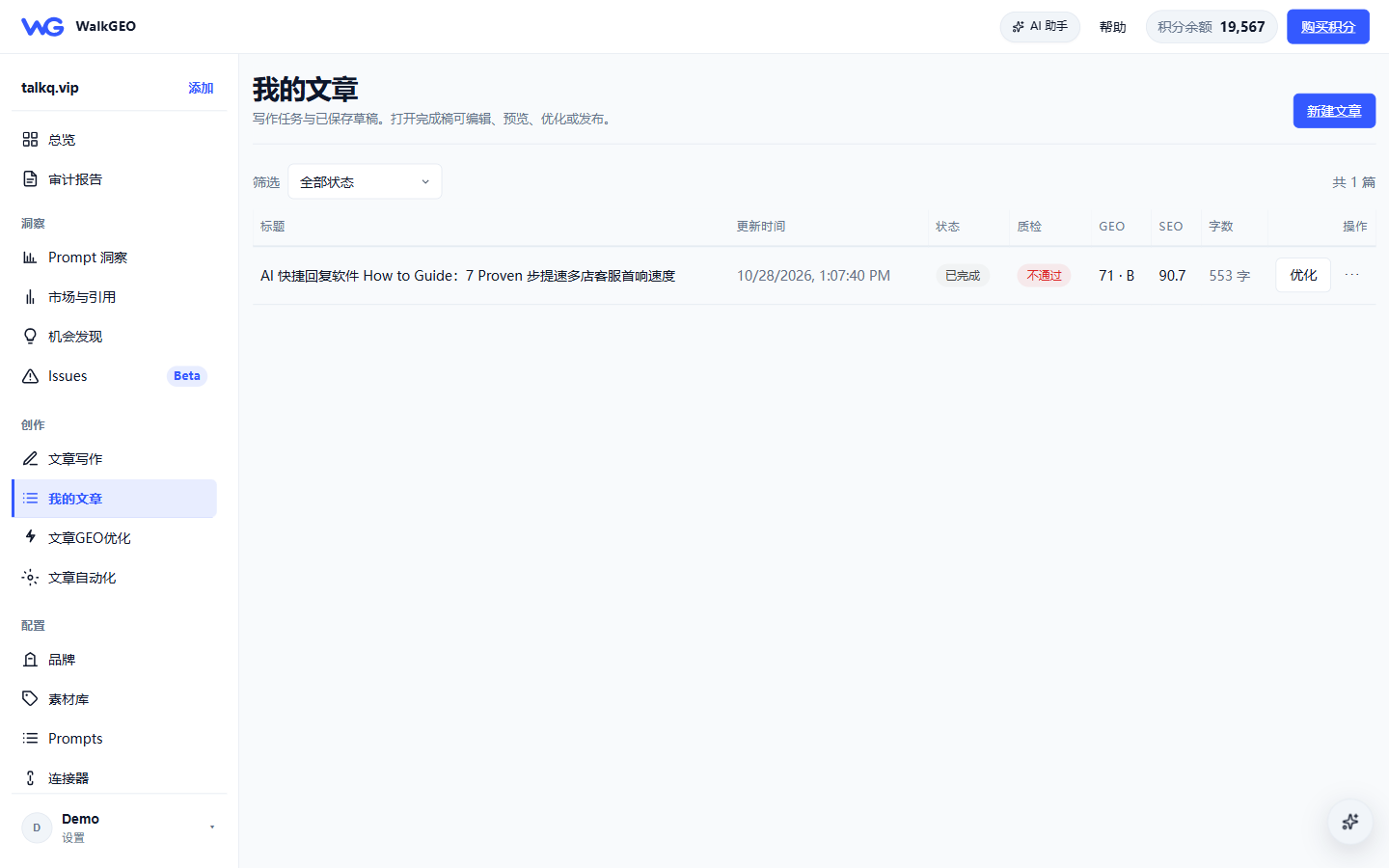
The list is sorted by last update with two filters:
- Status: generating / ready / failed
- Published to: all channels / unlinked / WordPress / Shopify / custom CMS
Each row shows GEO score, SEO score, QC result and word count. Row actions:
| Action | What it does |
|---|---|
| View | Open the article detail (edit / preview / optimize / publish) |
| Optimize | Run one GEO optimization pass on the draft (same as the detail-page button) |
| More | Rewrite, download HTML, delete draft |
Article detail: optimize → apply
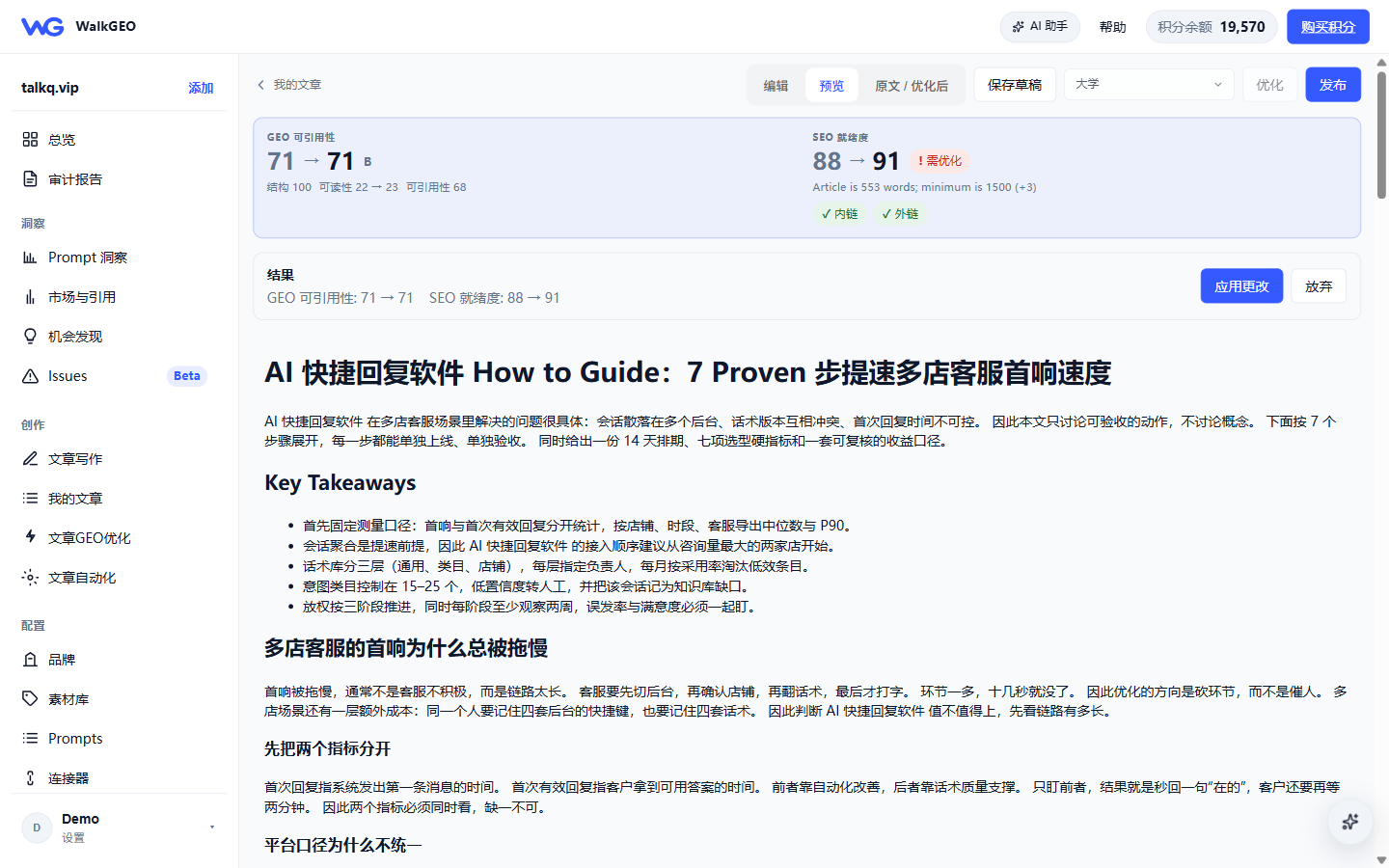
Opening an article shows the score cards at the top (GEO citability + SEO readiness). Click Optimize and the system rewrites toward the QC gaps; when done a result bar appears:
- Scores shown as before → after (e.g. SEO readiness 88 → 91)
- Switch the body between original / optimized for side-by-side reading
- Apply changes writes it into the draft (synced to WordPress when connected), or Discard keeps the original
Publishing
The SEO & publishing panel sits on the right of the detail view:
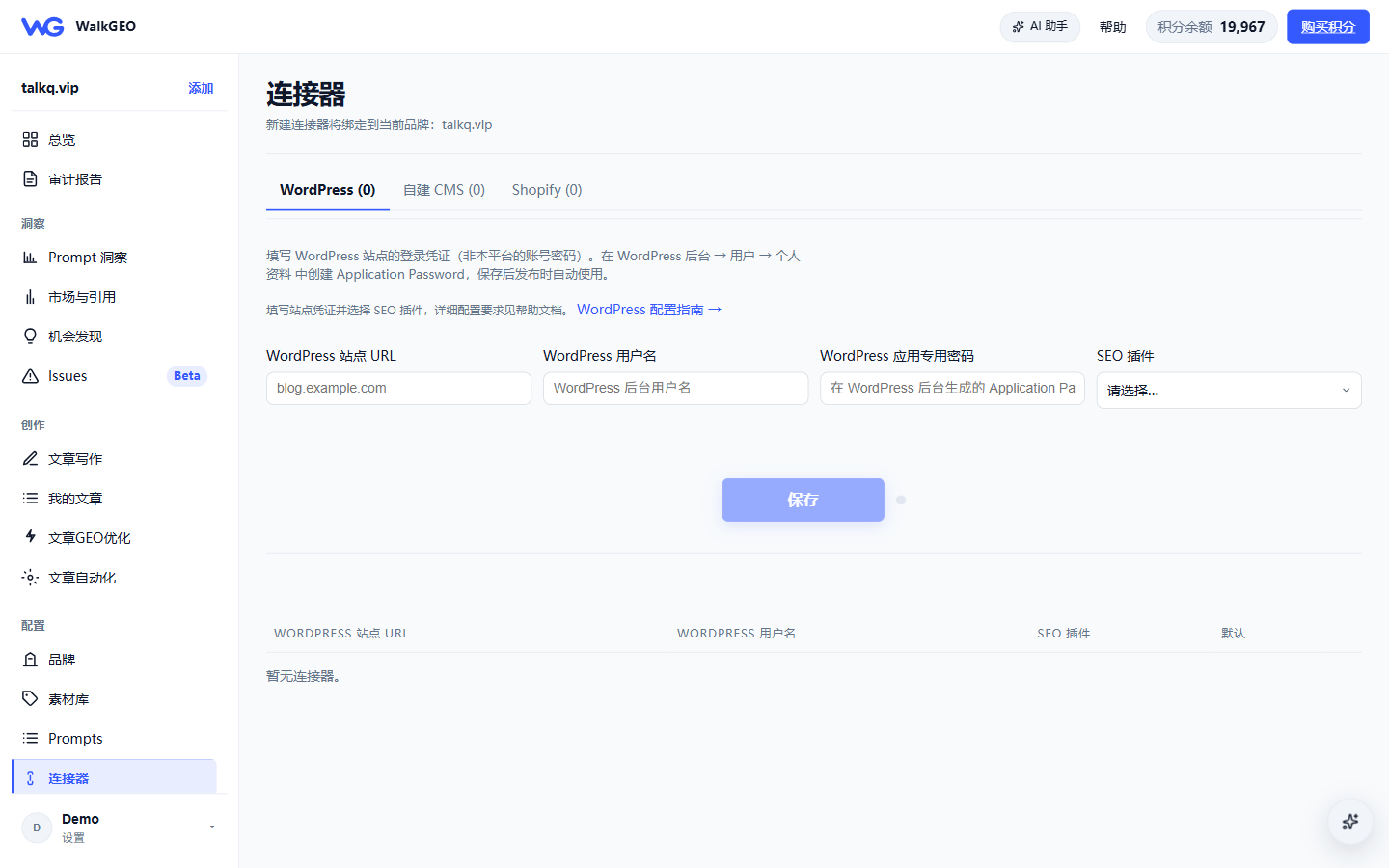
- Prerequisite: add a WordPress site in Connectors (URL + Application Password) and choose an SEO plugin (Yoast / Rank Math / AIOSEO, etc.).
- QC gate: while QC fails, the publish button directs you to optimize first — this keeps low-quality content from going live.
- What gets published: body HTML + meta title / description / canonical + schema JSON-LD (written back via the selected SEO plugin).
- Drafts by default: with publish mode set to "save as draft", the article also lands in WordPress as a draft for human review.
FAQ
- Meta not landing in WordPress: nine times out of ten it's the SEO plugin setup — see the in-app WordPress REST API guide.
- Publish button greyed out: no connector configured, or QC still failing.
- Applied a bad optimization: use Discard before applying; afterwards use Rewrite or restore from an HTML backup.
Next steps
- Article writing guide — write new articles from scratch
- Existing page optimization — optimize published pages
- Content automation — scheduled batch production (see core workflows)