Article Writing Guide
From topic to publishable GEO article: brand words & SEO keywords, the 3-step flow, scores and the QC gate.
Path: /app/create/write (Create → Content Creation)
Go from a one-line topic to a publishable GEO article in about 10–20 minutes (including generation wait). Finished articles are saved as drafts by default; they only go live through publishing once quality checks pass.
Before you start: two required setups
The writing form requires both of these in Brand (/app/workspace/brand):
| Required | Where | What |
|---|---|---|
| Brand words | Brand → Brand Words | Product names and brand terms (e.g. "快语AI") woven naturally into the article |
| SEO keywords | Brand → SEO Keywords | Target queries you want to win in search and AI answers |
Configure once; every article reuses them. Pick per-article in the writing form.
The 3-step flow
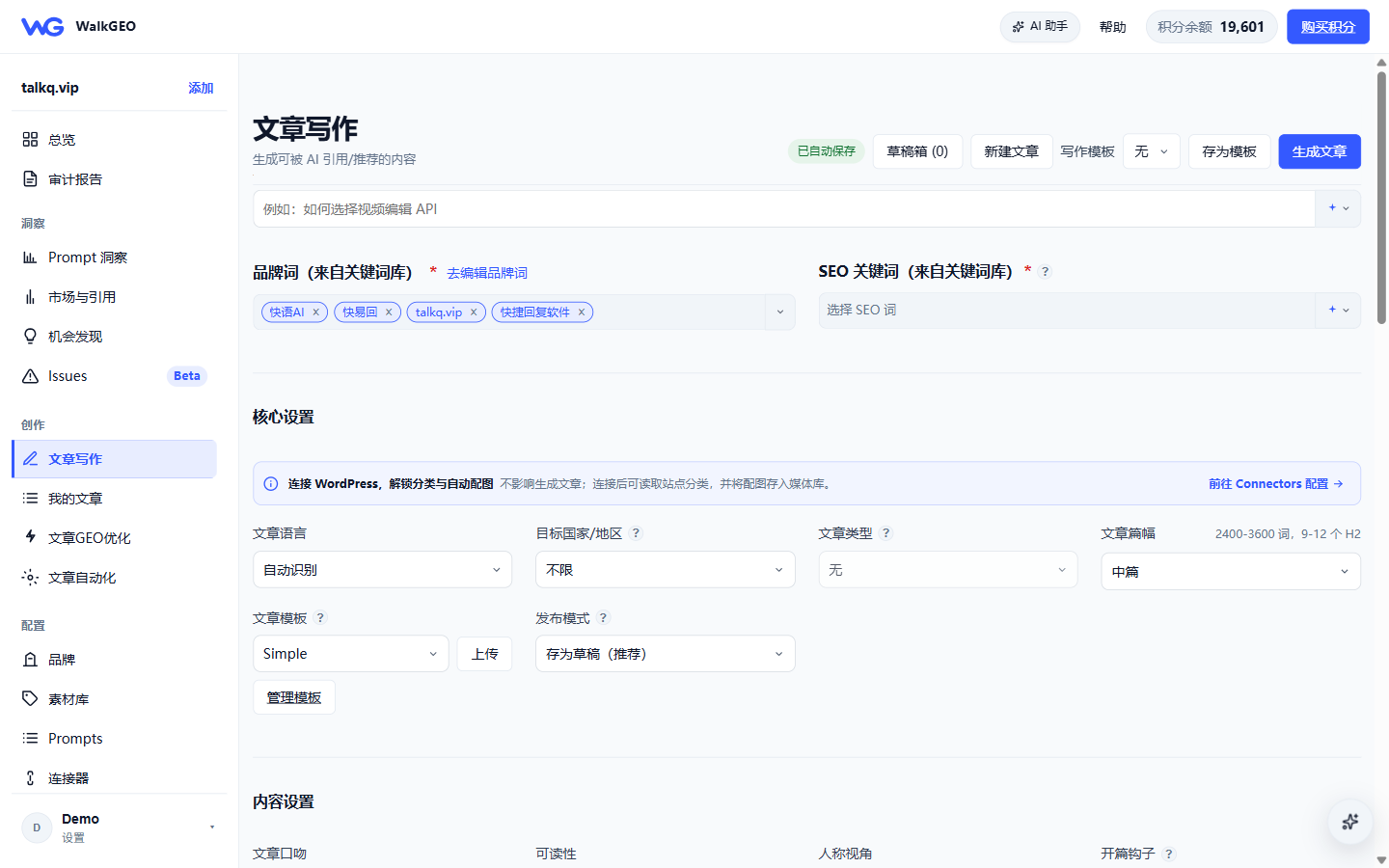
Step 1: Topic & queries
- Topic: one sentence on what to write (e.g. "How multi-store ecommerce teams use AI quick-reply software to cut first-response time"). You can also use Pick from opportunities (sub-questions from Issues/Opportunity), Suggest topic (picked by gap score), or AI-generate a topic.
- Brand words: check the ones this article should embed.
- SEO keywords: AI suggest (3–6 keywords from topic intent, query opportunities and competitor signals), or pick manually from the library.
Step 2: Core settings
| Setting | Notes |
|---|---|
| Language / target country | Controls the writing language and market framing |
| Length | Ultra-short / Short / Medium (2,400–3,600 words, 9–12 H2s) / Long |
| Publish mode | Save as draft (recommended) or publish directly (falls back to draft if QC fails) |
| Content settings | Tone, readability target, point of view, opening hook |
| Media | Image source (brand assets / Pexels / AI) and image count |
| AI settings | Model (DeepSeek V4 Flash / Pro), AI-trace cleanup, live web search |
Step 3: Generate
Click Generate article — the task runs in the background (outline → body → SEO passes). You can leave the page; watch live progress in My articles.
After generation: scores and QC
Open the generated article; two score cards sit at the top:
- GEO citability: total + structure / readability / citability.
- SEO readiness: internal / external link checks and the word-count floor (below 1,500 words you'll see "needs optimization").
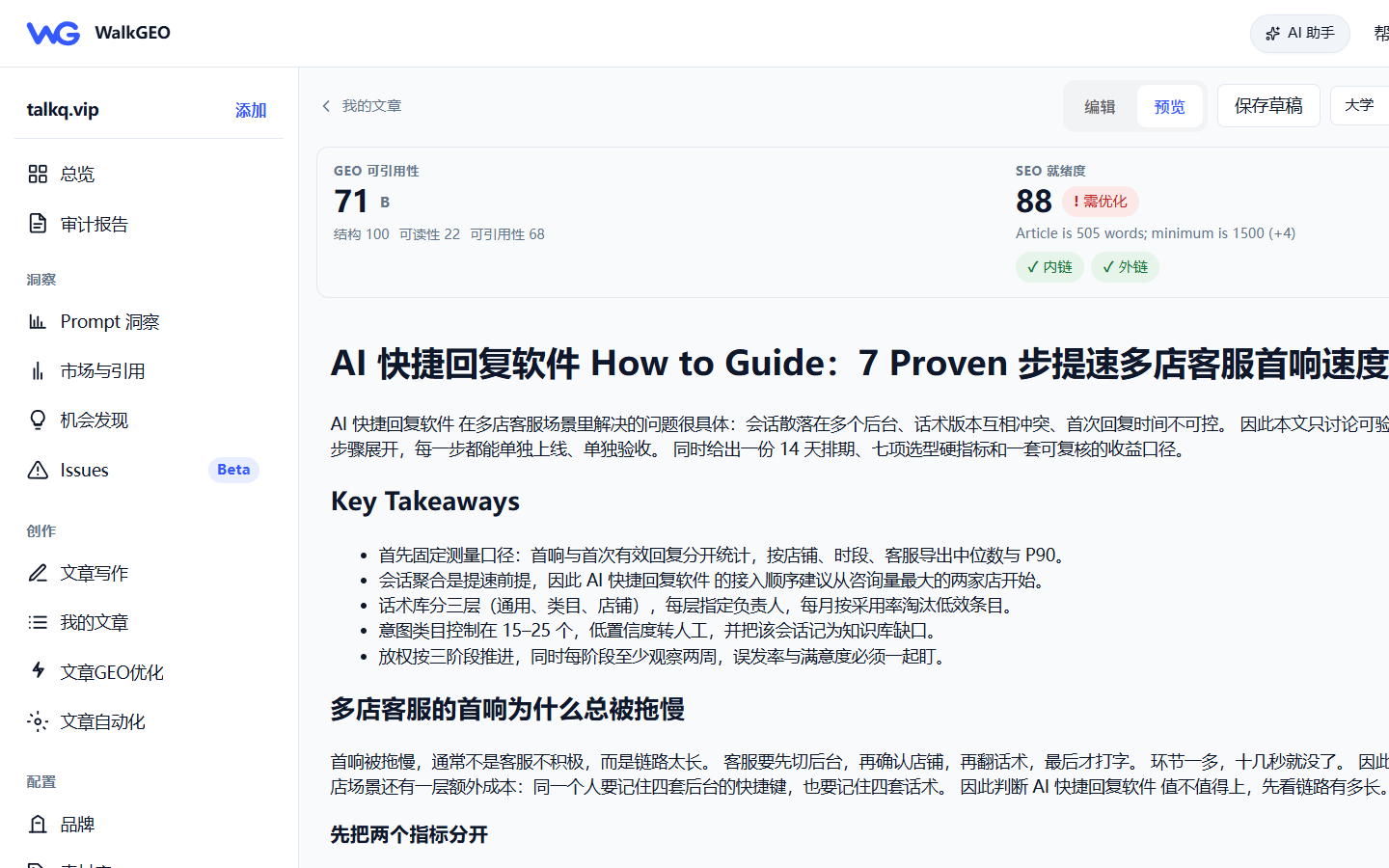
QC failure ≠ dead end: short or thin articles stay drafts. Two options:
- Click Optimize to let AI close the QC gaps pass by pass (see My articles & publishing).
- Edit the body manually and Save draft.
FAQ
- Generation failed / suspiciously short: delete the draft in My articles and regenerate.
- Cost control: pick Short length, "no images", and enable live search only when needed.
- Publishing: see My articles & publishing.
Next steps
- Existing page optimization — optimize already-published pages
- My articles & publishing — draft library, QC and publishing
- Core workflows — all modules at a glance